


Ting
4.71.44K Reviews
App Specs
- Version
- 3.0.4
- Updated On
- License
- Free
- Downloads
- 500,000+
- Developer
- Whisker Labs
- Categories
- House & Home
- Platform
- Android, iOS
Screenshots

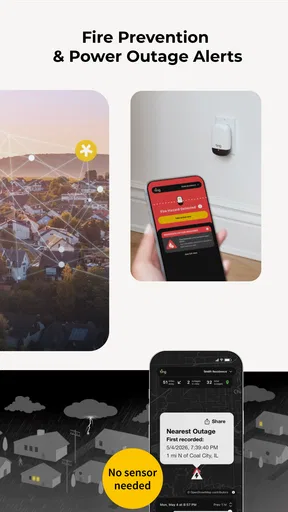
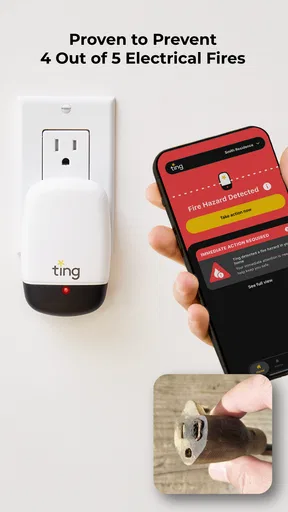
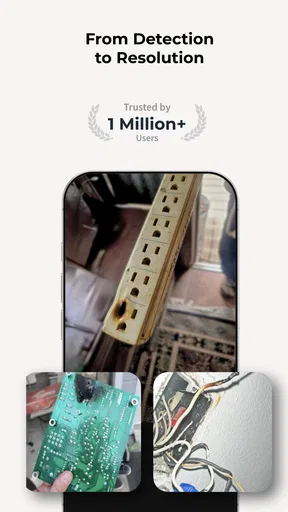
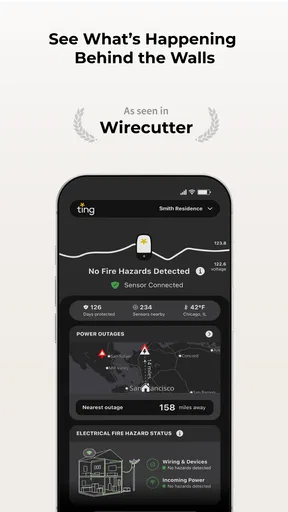
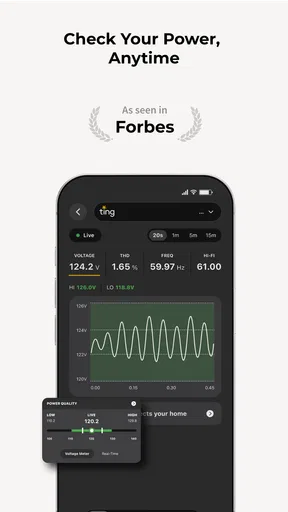
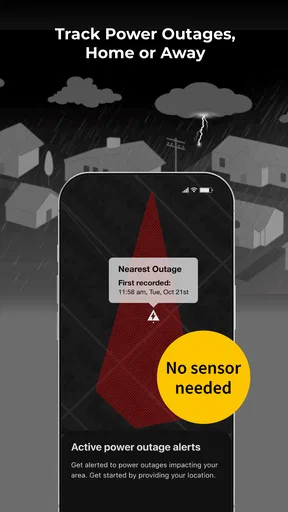
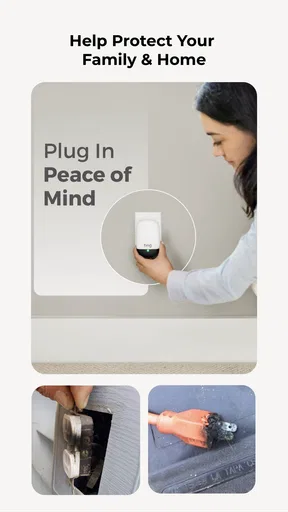
 Analysis by AppCompare
I judge a home-safety app by whether it helps me notice a problem early and understand what to do next, not by how many screens it offers. Ting is a home and household app from Whisker Labs, built around electrical and fire safety rather than the usual jobs of organizing chores, shopping for furnishings, or controlling a collection of smart devices. That focus makes it a different kind of choice in the House & Home category: its value is less about daily browsing and more about having a tool connected to a specific concern in the home.
That distinction matters when deciding whether it belongs on your phone. If you want a general-purpose home dashboard, Ting may not be the right fit. If electrical safety is already on your mind, a dedicated app can feel more purposeful than a broad home-management tool. I would treat it as one part of a sensible safety routine, not as a replacement for careful maintenance, professional advice, or taking action when something seems wrong.
Clear purpose, with a different kind of navigation
The first thing I would want from a safety app is a clear path from an alert to an understandable next step. Ting’s identity is tied to fire and power safety, so I would expect its interface to be organized around that job rather than around unrelated home features. For someone who finds sprawling smart-home dashboards tiring, that narrower purpose can be a real advantage: fewer competing reasons to open the app and a more focused mental model of why it is there.
Still, simple navigation is not the same as instantly understandable information. Safety language can be unfamiliar, and a warning is only useful if I can tell whether it needs attention now, what I should do, and when I should involve a qualified professional. I recommend taking time to read the app’s explanations when things are calm, rather than trying to learn its terminology in the middle of a stressful moment. That small bit of preparation can make a safety tool easier to use when it matters.
How it fits into an ordinary household
A realistic use case is a household where someone is away for work while other family members remain at home. A safety-focused app can give the person who handles household maintenance another way to stay engaged with a concern even when they are not standing beside the electrical panel. It may also be relevant to people who have moved into an older home and are trying to be more deliberate about understanding electrical risks. In either case, the practical question is not simply whether the app is installed, but who will notice its information and make a decision based on it.
I would agree in advance on who in the household should receive or check safety information, especially if more than one person shares responsibility for the home. That avoids a common technology trap: everyone assumes someone else saw the alert. For a renter, it is also worth thinking through who can actually arrange an inspection or repair. The app can support awareness, but a landlord or qualified electrician may need to handle the physical follow-up.
Access across different abilities and situations
For people with limited vision, clear labels and legible explanations matter more than decorative graphics. For someone with limited dexterity, a short route to the main safety information is easier than precise tapping through several nested menus. I cannot assume that every person’s needs are the same, so I would test the parts of the app that matter to your household on the phone you actually use. Check whether text is comfortable to read, whether important information is easy to locate, and whether the app works naturally alongside your device’s own accessibility settings.
Worth Reading Before You Choose

EA SPORTS FC Mobile 26 Is a Bigger Football Game, but It Takes Time

Flipboard Shows What News Apps Must Do Beyond the Feed

Switching to Android Auto Means Rethinking Your Driving Routine

Google Calendar Makes a Crowded Week Easier to Manage

Ludo King Makes the Most of the Minutes Between Plans

Baby Panda World Brings Quick Play to Modern Phones, but Its Game Library Feels Busy
Sensory needs deserve attention too. Alerts can be useful, but a sound or vibration that is too easy to miss—or too disruptive—may not suit everyone. If you share a home with someone who is sensitive to notifications, agree on a setup that keeps safety information noticeable without turning every phone into a source of stress. Do not rely on a single person’s preferred alert style as the household’s only way to stay informed.
Trade-offs and sensible expectations
A dedicated electrical-safety app is not interchangeable with a smoke alarm, an electrician’s inspection, or a general smart-home app. Each serves a different role. A smoke alarm is a direct warning device for its intended purpose; professional inspection involves a person assessing the installation; a broad smart-home system may prioritize lights, locks, or climate controls. Ting’s appeal is its focus, but that also means it is not the answer to every home-safety question.
There is also a practical dependency to consider: any app-based approach relies on people having access to a working phone and being comfortable checking what it communicates. If the person responsible for the home rarely uses apps, or if the household cannot agree on who responds, the technology may add little. I would keep familiar safety routines in place and make sure everyone knows whom to contact if they notice a smell, unusual heat, or another worrying sign. An app should support good judgment, not delay it.
Who is likely to appreciate it
Ting makes the most sense for someone who wants a focused digital companion for electrical and fire-safety awareness and is willing to engage with the information it presents. It may suit a homeowner who likes keeping an eye on household risks, or a family that wants to be more organized about who checks safety-related updates. It is less compelling for someone looking only for a home decorating guide, a bill tracker, or a universal controller for connected appliances.
Before relying on it, I would ask a few practical questions: Is the safety information easy for the people in my household to understand? Who will act if something needs attention? Can everyone who needs access use the app comfortably? And do we already have the basic safety equipment and professional support appropriate to our home? Those answers matter more than downloading another icon. They also help set a realistic expectation: software can help people stay attentive, but it cannot make a home safe by itself.
As a free app rated for Everyone, Ting has a low barrier to trying, and its 4.7 average from around 7,100 ratings suggests many users have found value in it. It has passed 500,000 installs, and its release history goes back to June 5, 2018. The current version is 2.5.15, with Android 8.0 as the minimum operating-system requirement. Those figures provide context, but they do not tell me whether it will suit a particular household’s abilities, routines, or safety needs; that is something I would judge by using it with care.
Have you ever stumbled upon an app that immediately makes you think, "Where have you been all my life?" Well, that's exactly how I felt when I discovered Ting. If you're looking to streamline your communications and stay connected without the usual tech headaches, this might just be the app for you. Let me take you through my experience with it.
First Impressions and Setup
Getting started with Ting was as smooth as butter. I downloaded it from the app store, and within minutes, I was up and running. The setup process is intuitive, with a sleek interface that doesn’t bombard you with unnecessary options. It’s like that friend who’s always chilled out and easy to hang with.
The app welcomes you with a clean design that’s refreshingly simple. No clutter, no ads popping up in your face—just straightforward navigation. I didn’t even have to dig through menus to find what I needed; everything was right where I expected it to be.
Features That Stand Out
Now, let’s talk about the features. The app offers a range of functionalities that make communication easier and more efficient. One of the things I loved most is the seamless integration with my existing contacts. Syncing was quick, and I didn’t have to worry about duplicate entries.
What really caught my attention was the call quality. Crystal clear and reliable, it felt like I was talking face-to-face, even if the person was miles away. Plus, the app includes a handy feature that lets you manage your call settings, which is perfect for those moments when you need some peace and quiet.
Messaging and Connectivity
The messaging feature on Ting is a game changer. Not only is it fast, but it also supports multimedia messages, so you can send pictures, videos, and even voice notes without a hitch. The chat interface is straightforward, and I appreciated the customization options for notifications. No more missing out on important messages!
Connectivity is another area where the app excels. Whether I’m on Wi-Fi or using mobile data, the app performs consistently. Dropped calls and laggy messages? Not on Ting’s watch!
Usability and Performance
Using the app over the past few weeks, I’ve found it to be incredibly reliable. It doesn’t drain my battery like some other apps do, which is a huge plus. The developers seem to have nailed the balance between performance and efficiency.
And speaking of performance, the app’s updates are worth mentioning. Regular updates keep things fresh and fix any bugs promptly. It’s clear that the team behind Ting is committed to providing a top-notch user experience.
Final Thoughts
All in all, my experience with Ting has been overwhelmingly positive. It’s easy to see why it’s gaining popularity among users who value simplicity and functionality. Whether you’re tech-savvy or just looking for something that works without fuss, this app fits the bill.
If you’re tired of overly complicated communication apps, give Ting a try. Trust me; it’ll make your life a whole lot easier. You can find the download links right here on our site, so why not take the plunge and see for yourself?
My inclusive verdict
For a household that wants a dedicated place to engage with electrical-safety information, I can see the appeal of an app with a focused purpose rather than another catch-all home screen. The useful step is to make it part of a shared routine: decide who checks it, make sure that person can comfortably read and understand what appears, and agree on how concerns will be handled. That routine is especially helpful when the person who notices an issue is not the person who can arrange a repair.
I would be more cautious about recommending it as the sole safety measure, or to someone who expects a communication app for calls and multimedia messages. The description of the experience above does not match Ting’s role as a House & Home app, so I would not choose it for contact syncing, calling, or chat. What matters here is whether its electrical and fire-safety focus fits your actual need. For me, the most responsible verdict is that a focused app can support awareness, but it cannot replace alarms, sound household habits, or professional help when a problem needs assessment.
Pros
- User-friendly interface that's easy to navigate.
- Affordable pricing plans with no contracts.
- Reliable network coverage and call quality.
- 24/7 customer support with quick response times.
- Flexible plans that can be tailored to your needs.
Cons
- Limited international roaming options.
- No unlimited data plans available.
- Data speeds may vary by location.
- Fewer device options compared to major carriers.
- No dedicated physical stores for in-person support.
FAQs for Ting
What is Ting and how does it work?
Ting is a mobile app designed to help users manage their phone usage more efficiently. It offers features such as data tracking, usage alerts, and customizable plans. Users can monitor their data, minutes, and messages in real-time, allowing them to adjust their habits and save on their monthly bills.
Is Ting available for both Android and iOS devices?
Yes, Ting is available for download on both Android and iOS platforms. You can find it on the Google Play Store for Android devices and the Apple App Store for iOS devices. The app provides a seamless experience across both operating systems, ensuring all users can benefit from its features.
Does Ting require a subscription or is it free to use?
Ting offers a flexible billing system where users pay for what they use. There is no standard subscription fee; instead, users are billed monthly based on their actual usage of data, minutes, and texts. This pay-as-you-go model can be more cost-effective than traditional mobile plans.
What are the main features of the Ting app?
Ting provides several features, including detailed usage tracking, customizable alerts, and plan management tools. Users can set alerts for data usage limits, monitor their call and messaging patterns, and adjust their plans accordingly. This helps users avoid overages and ensures they only pay for what they use.
How secure is my personal data on Ting?
Ting prioritizes the security and privacy of user data. The app uses encryption and other security measures to protect personal information. Additionally, Ting adheres to strict privacy policies, ensuring that user data is not shared with third parties without consent. Regular updates help maintain high security standards.


